

Attendance and punctuality
Let us know when your child will be away from school or arriving late. Studybugs gives you a convenient way to keep the school informed, with help available if you need it.
Need help? Call 020 8148 1700
Get the free Studybugs app
New to Studybugs? Choose your device below, then follow the setup steps. Already registered? Sign in to use your account.
Prefer a browser? Register online
Already have an account? Sign in
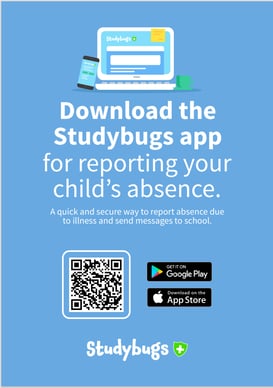
Set up Studybugs in three steps
Download or open online.
Install the free app, or use Studybugs in your browser.
Create your account.
Register with your details and follow the email activation instructions. If you already have an account, sign in.
Add your child and school.
Follow Studybugs’ prompts to add your child and select the correct school. Contact us if you cannot find Orange Tree School.
How to report an absence
Open Studybugs.
Sign in to your account and choose the child whose absence you are reporting.
Explain the absence.
Follow the prompts, providing the dates and reason requested.
Submit and check.
Complete the report and check the acknowledgement shown by Studybugs. If you are unsure it has reached us, call the school.
Find the guidance you need
Running late?
Tell us through Studybugs or call 020 8148 1700. Let us know when you expect your child to arrive.
Medical appointments
Notify the school in advance. Include the appointment details and collection and return arrangements. Contact us about urgent appointments.
Term-time leave
Read the attendance policy before requesting leave. Provide the relevant information and wait for the Head Teacher’s decision before making travel plans.
We are here to help
If illness, anxiety or another difficulty is affecting attendance, please contact the school so we can discuss support.
Common questions
Can I use Studybugs without the app?
Yes. Register online or sign in through your browser to use Studybugs.
I cannot sign in. What should I do?
Use the password recovery option on the Studybugs sign-in page. If you need help reporting an absence today, call the school.
Does submitting a report authorise the absence?
No. The school makes the authorisation decision. Appointment and term-time leave request outcomes are confirmed by email.
My child is still absent. What should I do?
Keep the school informed as circumstances change. If you are unsure whether another report is needed, contact the school.